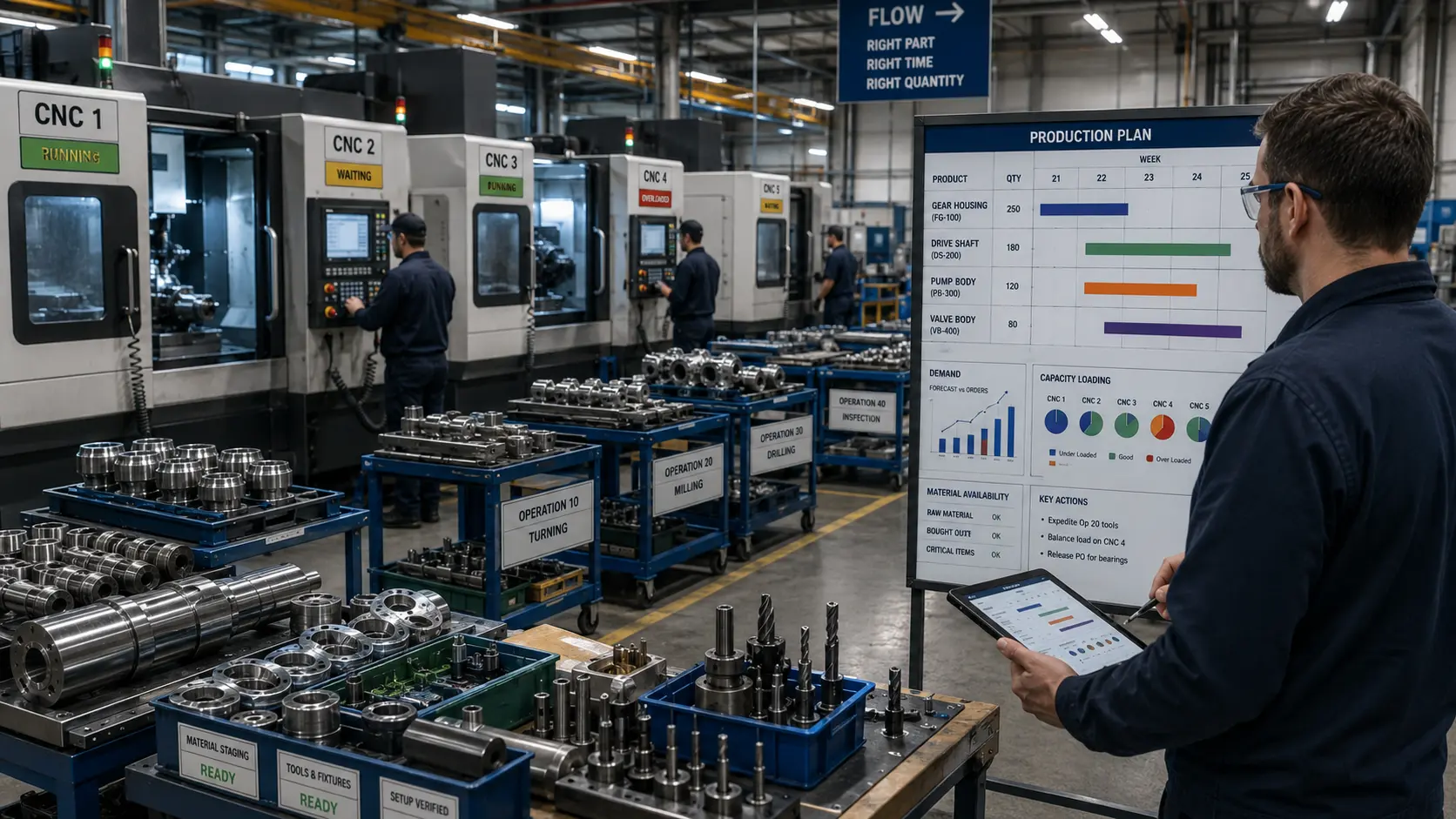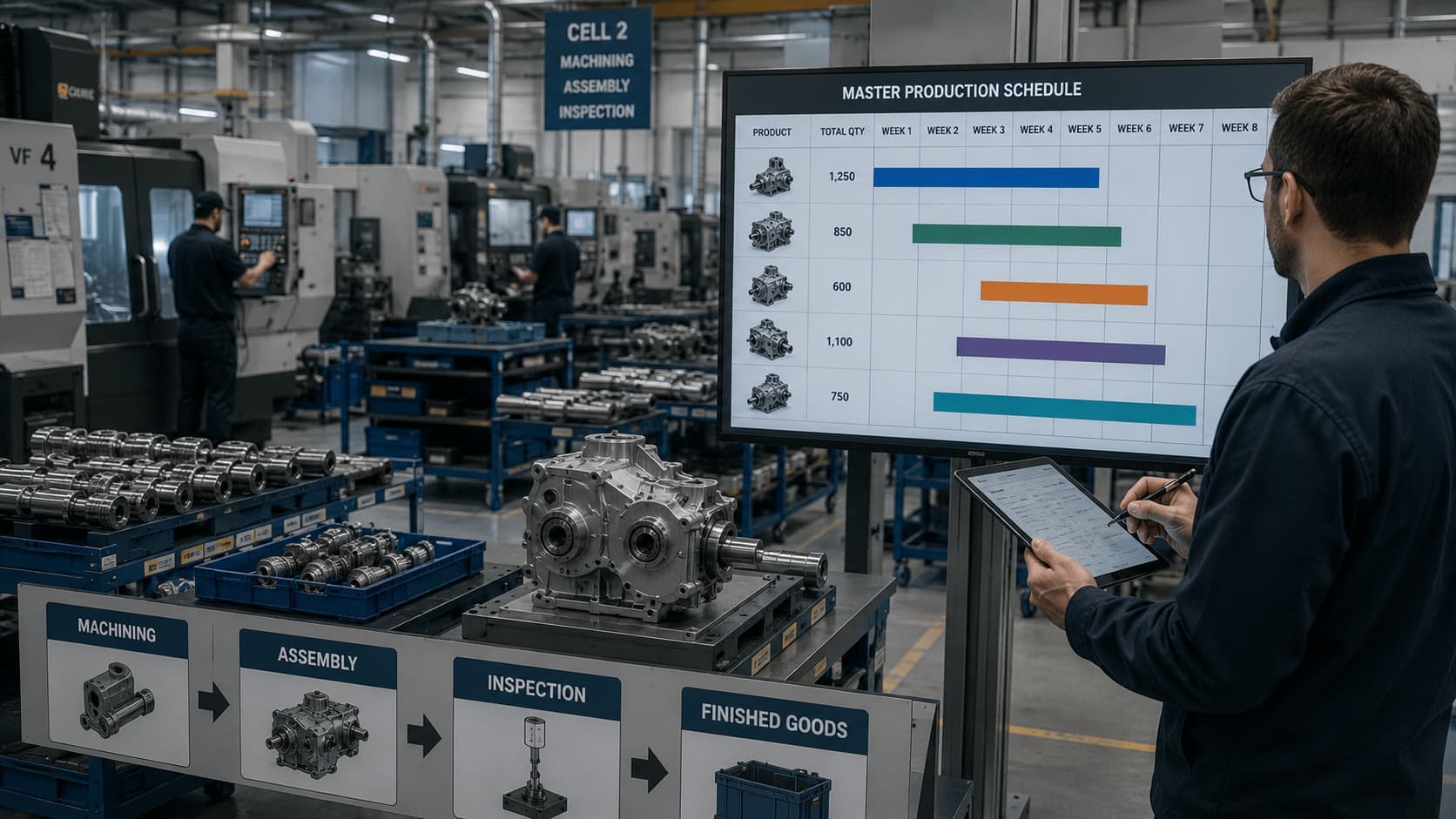
A customer wants 500 units next month. Does that mean the factory should simply schedule 500 units for production? Not necessarily. Perhaps 120 finished units are already in inventory. A critical machine will be unavailable for maintenance. One purchased component has a three-week lead time. Another production order is already consuming most of the available capacity. This is where production planning moves from a demand number to an engineering problem.
A manufacturing organization needs to decide what exactly it is going to build, how many units it is going to build, and when it is going to build them. That is the role of the Master Production Schedule, or MPS.
Oracle describes the MPS as an anticipated build schedule for important items, connecting broader production planning to manufacturing by specifying particular items, dates and quantities, while SAP describes master production scheduling as giving important finished products and assemblies additional planning attention because of their influence on downstream production. But MPS becomes much easier to understand once it stops being treated as an ERP screen and gets looked at as the manufacturing logic underneath it.
What is a Master Production Schedule?
At its simplest, an MPS answers three questions: what are we planning to produce, how many are we planning to produce, and when are we planning to produce them?
Suppose a company manufactures industrial pumps. A broad production plan might say produce approximately 2,000 pumps next month — useful for high-level planning, but manufacturing needs more detail. Which pump? Which configuration? How many this week, how many next week? The MPS converts the broader requirement into specific, time-phased production intentions. Oracle describes a master production schedule as a supply statement designed to meet demand for selected items, and as the link between aggregate production planning and specific manufacturing quantities and dates.
Where MPS sits in the planning system
One of the easiest ways to understand MPS is to see what comes before and after it in a simplified manufacturing planning hierarchy: demand, then aggregate production planning, then the Master Production Schedule, then Material Requirements Planning, then detailed capacity and production scheduling, then shop-floor execution.
This sequence matters. The aggregate plan operates at a relatively broad level; the MPS becomes more specific; MRP then works out what components and materials are needed to support that production. SAP describes MPS as planning master-schedule items separately before material requirements planning proceeds through lower levels, while Oracle explains that MPS can drive the material requirements plan.
MPS is not the same as a sales forecast
This distinction is essential. A forecast asks what do we expect customers to require; an MPS asks what do we currently intend to build. These numbers can be related without being identical.
Suppose forecast demand for Week 3 is 100 units, but finished-goods inventory at the beginning of the week is 60 units. The factory may not need to manufacture another 100 units that week. Alternatively, the production process may operate in practical batch quantities and schedule more than that week's immediate requirement. Oracle distinguishes demand planning from MPS by describing a Master Demand Schedule as a statement of anticipated demand and an MPS as the supply required to meet that demand — giving us a useful principle: forecast describes expected demand, MPS represents planned production.
Demand and production are not identical
This sounds obvious, but confusing the two produces poor schedules. Production quantity can depend on inventory already available, customer orders, forecast demand, existing production orders, batch constraints, capacity, material availability and desired inventory position. Oracle's JD Edwards documentation describes master scheduling as determining gross demand from sources such as forecasts and customer orders, subtracting available supply such as inventory and work orders, and then determining net requirements and timing. The scheduler is therefore reconciling multiple pieces of information rather than copying one number into another column.
A simple MPS example
Consider an illustrative product. These figures are purely instructional.
| Week | Demand | Opening / Projected Inventory | MPS Receipt |
|---|---|---|---|
| 1 | 70 | 50 | 100 |
| 2 | 80 | 80 | 0 |
| 3 | 90 | 0 | 120 |
| 4 | 100 | 30 | 100 |
Notice that Demand = 90 in Week 3 does not automatically require MPS = 90. Production timing and quantity also depend on available inventory and the chosen manufacturing schedule. That difference is central to master scheduling.
Projected available inventory
One simple planning relationship is: Projected Available = Previous Available + Scheduled MPS − Demand. Suppose opening inventory is 50, MPS receipt is 100, and demand is 70. Then 50 + 100 − 70 = 80, so projected inventory becomes 80 units. The exact calculations inside ERP systems can become more sophisticated, but this basic logic helps explain why inventory and planned production interact.
Why MPS is time-phased
A statement such as "manufacture 5,000 components this quarter" does not provide enough information for production. Manufacturing needs timing — for example, Week 1: 1,000, Week 2: 1,200, Week 3: 800, Week 4: 2,000. Now the organization can begin planning raw material, machine loading, labour, maintenance and purchasing. Oracle describes master schedule entries through a combination of item, date and quantity, which captures the basic time-phased nature of the schedule.
Lead time changes what is possible
Suppose an illustrative gearbox must be delivered in six weeks. Its manufacturing chain includes purchased bearings, machined shafts, gear manufacturing, heat treatment, assembly and testing. Some material requires several weeks to obtain. The final assembly may only require two days, but the complete supply and manufacturing chain is much longer, so the MPS cannot look only at the date when final assembly begins — it has to give downstream planning enough time to obtain and manufacture everything needed.
“A production schedule that ignores lead time is a list of wishes with dates attached.”
Capacity makes the schedule physical
This is where MPS becomes especially relevant to mechanical and manufacturing engineers. Suppose the master schedule requests 200 components, and each component requires 0.5 hour on a critical machining centre. Required capacity is 200 × 0.5 = 100 machine-hours. But available machine capacity during the period is 80 hours — a 20-hour shortfall. The production requirement might be commercially desirable. It is not physically feasible under the existing assumptions.
Rough-Cut Capacity Planning
Rough-Cut Capacity Planning, or RCCP, helps test whether the master schedule broadly fits the capacity of important manufacturing resources. Oracle defines RCCP as comparing resource requirements generated by the MPS with available capacity at critical work centres, specifically to determine whether the master schedule needs revision or whether capacity must change. Possible responses to a capacity shortfall could include rescheduling some production, feasible overtime, adding a shift, subcontracting, increasing capacity, or revising customer commitments — the correct response depends on the actual manufacturing situation.
“Do not allow an impossible master schedule to become an impossible material plan and then an impossible shop-floor promise.”
Planning capacity before MRP prevents downstream disruption
An unrealistic MPS does not remain isolated. If the schedule requests more production, MRP may subsequently request more bearings, more raw material, more purchased components and more subassemblies. Purchasing responds, production orders appear, and then the organization discovers the critical machining centre cannot actually produce the scheduled quantity. Oracle explicitly describes RCCP as a way to validate master schedules against critical resources before detailed MRP plans are generated — which is why MPS should be treated as an engineering commitment rather than merely a planning output.
MPS versus MRP
This is probably the most common student confusion. The distinction is straightforward: MPS asks what finished product or critical assembly do we intend to build, in what quantity, and when; MRP asks what components and materials are required to support that schedule, and when are they required. SAP describes MRP as planning the quantities and timing required to ensure materials are available, while Oracle explains that MRP uses bill-of-material and inventory information to calculate time-phased component requirements.
A simple MPS-to-MRP example
Suppose the MPS says produce 100 gearbox assemblies in Week 6. Each gearbox requires 1 housing, 1 input shaft, 1 output shaft, 4 bearings and 1 gear set. Before considering stock or scheduled receipts, that build requirement implies gross requirements for 100 housings, 100 input shafts, 100 output shafts, 400 bearings and 100 gear sets. MRP then considers what is already available, what has already been ordered, lead times and required dates. This is why the Bill of Materials connects the master schedule to lower-level material requirements.
One MPS number can affect the whole factory
Imagine a planner changes the MPS from 100 assemblies to 300 assemblies. That appears to be one schedule edit. But downstream it can create demand for three times as many housings, three times as many shafts, three times as many gear sets, substantially more bearing demand, additional machining and additional assembly capacity. Purchasing may release orders, production may create work orders, and inventory commitments change.
“The MPS does not merely describe manufacturing behaviour. It helps create manufacturing behaviour.”
MPS and inventory
The master schedule sits between two undesirable conditions. Produce too little and the organization risks stockouts, late deliveries and lost customer commitments. Produce too much and the organization risks excess inventory, storage cost, working capital tied up, obsolete stock and overproduction. Master scheduling therefore has to balance service requirements with realistic production and inventory positions.
Available-to-Promise
MPS also connects production planning with what the organization can promise customers. Available-to-Promise, or ATP, broadly asks how much uncommitted supply can still be promised. Oracle calculates ATP using supply and on-hand inventory against committed demand, and notes that master production schedules can contribute supply to the calculation.
A very simplified instructional example: scheduled supply of 100 units, already-committed customer demand of 70 units, gives a potential uncommitted quantity of 100 − 70 = 30. The actual calculation depends on the planning system and surrounding supply/demand conditions, but the concept is useful.
“Do not promise the same production capacity twice.”
MPS connects sales promises with manufacturing capability
Sales naturally wants to tell the customer yes, we can deliver. Manufacturing needs to ask with what machines, materials and available time. Master scheduling is one place where these perspectives meet — ASCM's current career material describes master scheduling as the point where company promises meet manufacturing capacity, a useful description of the practical responsibility involved. A credible MPS therefore acts almost like an operational agreement between demand and supply capability.
Schedule stability matters
Imagine the schedule says Monday: produce A; Tuesday: cancel A and produce B; Wednesday: stop B and return to A; Thursday: rush C. Production does not absorb these changes for free. Frequent near-term changes may create additional setups, tooling disruption, component shortages, expediting, overtime and confusion. This is why master scheduling also involves controlling how much the near-term plan is allowed to change.
Time fences
Planning systems use various forms of time fences to distinguish periods where schedule changes have different consequences. Far into the future, the schedule can usually remain flexible; closer to production, materials may already have been purchased and capacity assigned; immediately before production, tooling may be prepared and jobs released. Oracle uses time fences in supply and order-promising systems, including fences linked to manufacturing lead times, and ASCM's current operations material similarly describes the production time fence as a boundary beyond which changes require greater control.
“The closer a production order gets to execution, the more expensive schedule instability becomes.”
Frozen, slushy and liquid periods
Planning education often explains this using three conceptual zones: frozen (near-term schedule, changes heavily restricted), slushy (intermediate period, changes possible but requiring evaluation), and liquid (further future, greater planning flexibility). Not every ERP or company uses these exact labels. What matters is the principle: not every future production period should have the same freedom to change.
My perspective from practical engineering work
I have encountered engineering and workshop situations where an intended plan had to change once the actual physical constraints became clearer. A task can appear perfectly reasonable when written as a schedule — then reality introduces machine availability, material availability, downtime, processing time, or another competing activity. That difference is important: production scheduling happens in information; production happens in the physical world. A strong MPS has to reconcile the two.
MPS and machine performance
Suppose theoretical machine capacity is 100 units per hour. A planner may use that number when building a schedule. But in actual operation the equipment experiences downtime, speed losses and rejects, so achievable productive output may be lower. This is where manufacturing metrics such as OEE become relevant — OEE does not create the master schedule, but historical information about availability, performance and quality can help engineers challenge unrealistic capacity assumptions. Nominal capacity and achievable capacity are not always the same thing.
MPS and maintenance
Consider a critical CNC machine scheduled for preventive maintenance on Thursday. If the schedule simultaneously assumes normal full Thursday production from that machine, the planning system contains a contradiction. Maintenance therefore matters to production planning, and unexpected failures reduce effective available capacity — which links MPS naturally to preventive and predictive maintenance strategy and to condition monitoring for rotating machinery. Reliability influences scheduling reliability.
MPS and Lean Manufacturing
At first, MPS can appear incompatible with lean pull thinking — lean emphasizes production according to actual need, so why create a master schedule? Because pull does not mean planning disappears. A manufacturing organization may still need to coordinate expected demand, final-product availability, capacity, suppliers and major production requirements, and poor master scheduling can itself create lean wastes such as overproduction, excess inventory and unstable schedules — the kind of thinking covered in what is lean manufacturing. The important relationship is that MPS establishes broader production intentions, while pull principles can govern replenishment and execution closer to actual consumption. They operate at different planning levels.
MPS and the Toyota Production System
The Toyota Production System emphasizes producing what is needed, when it is needed and in the quantity needed. MPS operates at a broader production-planning level, but there is a shared concern: production quantities and timing should be connected to real need rather than uncontrolled output. It would be inaccurate to claim every TPS environment uses MPS in one universal implementation — the useful connection is conceptual rather than software-specific.
MPS and Six Sigma
Six Sigma focuses strongly on process variation and consistency — what does that have to do with scheduling? Quite a lot. Suppose a machining operation sometimes takes 10 minutes and sometimes 25 minutes for similar work, or the good-product yield varies significantly from one period to another. Production capacity becomes more difficult to predict. A more stable process, of the kind DMAIC is built to investigate, creates more dependable planning assumptions — another reason manufacturing quality and manufacturing planning should not be treated as unrelated subjects.
MPS does not perform detailed shop scheduling
Another common misunderstanding is assuming MPS determines the exact sequence of every operation. An MPS might state produce 200 pump assemblies during Week 5 — it does not necessarily specify machine shaft 102 on CNC-3 at 09:40 Tuesday. The latter belongs at a more detailed scheduling/execution level. SAP's current production-planning tools distinguish MPS/MRP from detailed work-centre scheduling, where operations and planned orders can be dispatched at specific capacities and times.
- Production plan — broad.
- MPS — specific item, quantity and period.
- MRP — dependent material timing.
- Detailed scheduling — operations, resources and sequence.
- Execution — actual work.
Forecast error does not make MPS pointless
Forecasts are never perfect. That does not mean planning has no value — it means the production system needs to manage uncertainty. MPS can reconcile several signals: forecast, actual orders, inventory, available production and known constraints. Oracle's master-scheduling documentation explicitly allows demand from forecasts and customer orders to feed scheduling decisions rather than treating one forecast number as an unquestionable production command. The issue is therefore not whether the forecast is perfectly accurate, but how manufacturing should respond responsibly to the information available.
The MPS Engineering Check
Before accepting an MPS, an engineer or planner can ask eight questions — my own explanatory framework for this article, not an official Oracle, SAP or ASCM model.
| # | Check | The question |
|---|---|---|
| 1 | Demand | What actual and expected demand must the plan support? |
| 2 | Inventory | What finished stock or scheduled supply already exists? |
| 3 | Timing | When must the product actually be available? |
| 4 | Capacity | Can the critical machines, people and resources support the schedule? |
| 5 | Materials | Can purchasing and upstream production supply the dependent requirements in time? |
| 6 | Stability | Are we repeatedly changing production too close to execution? |
| 7 | Delivery | What quantities can we realistically promise? |
| 8 | System impact | What downstream actions will this schedule cause? |
That final question is particularly important. A schedule change can trigger MRP, then purchasing, then production orders, then inventory, then capacity loading. Think beyond the spreadsheet cell.
Production planning is a feedback system
Pulled together, the whole system runs from demand, through the aggregate production plan, through MPS, through MRP, through capacity and detailed scheduling, to shop-floor execution — and then back again. What actually happened to demand, output, inventory and machine performance feeds back and influences future planning. Production planning is therefore not a one-way command. It is a feedback system.
Common MPS mistakes
- Treating forecast as the schedule. Expected demand and planned production are related but different.
- Ignoring capacity. A schedule that exceeds critical-resource capability is not ambitious; it is infeasible.
- Ignoring current inventory. Existing supply changes how much new production is actually required.
- Confusing MPS with MRP. MPS defines planned master-item production; MRP derives dependent material requirements.
- Changing near-term schedules constantly. Every late change may affect materials, tooling, labour and setup.
- Planning with ideal machine capacity. Manufacturing rarely operates permanently at theoretical maximum output.
- Ignoring maintenance. A planned machine stoppage should appear in the capacity picture.
- Producing extra "just in case." Excess schedule quantities can become lean overproduction and unwanted inventory.
What mechanical engineers should understand about MPS
Mechanical engineers do not all need to become production planners, but engineers working around manufacturing should understand why production decisions depend on physical system characteristics.
- Machine design affects capacity.
- Fixture design affects setup time.
- Maintenance affects availability.
- Quality affects good output.
- Cycle time affects achievable production rate.
- Reliability affects schedule confidence.
- Material choice affects procurement and lead time.
That is why MPS should not be viewed as purely an administrative function. It translates business demand into requirements that eventually have to be satisfied by real machines, real materials and real time.
Key takeaway
Master Production Scheduling answers a deceptively simple question: what are we going to build, how many, and when? But producing a credible answer requires much more than demand data. A useful MPS has to reconcile demand, inventory, lead time, materials, capacity, schedule stability and delivery commitments — becoming one of the key links between business planning and manufacturing execution.
“A production schedule should not be judged only by whether the spreadsheet balances. It should be judged by whether the physical manufacturing system can execute it.”
References and further reading
- Oracle — Master Schedule Types. Strong technical reference for distinguishing the Master Demand Schedule and MPS and understanding how an MPS links aggregate planning with specific items, quantities and dates.
- Oracle JD Edwards — Master Production Scheduling and Material Requirements Planning. Useful explanation of demand, inventory/net requirements and the relationship between MPS and MRP.
- Oracle — Resource and Capacity Planning. Authoritative reference for Rough-Cut Capacity Planning and the relationship between MPS requirements and critical-resource capacity.
- SAP S/4HANA — MRP Procedures / Master Production Scheduling. Current documentation explaining how important finished products and assemblies are master scheduled separately before detailed MRP.
- SAP — Capacity Leveling at MPS Level. Useful for explaining the need to reconcile master schedules with manufacturing capacity.
- Oracle — Available to Promise. Technical reference for how available supply and committed demand contribute to ATP calculations.