Python can generate G-code very easily.
That does not mean every generated CNC program should be run on a machine.
Writing text such as:
G01 X50 Y20 F200is technically simple.
The harder problem is knowing whether that command belongs in the correct machine state, uses the intended units and coordinate system, respects safe tool motion, matches the controller dialect, and produces the machining operation we intended.
That distinction became clearer to me while working on my own Python CNC automation project. I have already generated G-code programmatically and checked the resulting program or toolpath.
The useful lesson is that code generation and CNC verification are two different engineering tasks.
Python can automate the first. It should also help make the second more systematic.
What Python actually adds to G-code programming
Python does not replace G-code. It can automate the reasoning used to create it.
ISO 6983 defines the traditional numerical-control program format used for positioning, line motion and contouring systems, while NIST's RS274/NGC work describes a G-code interpreter that reads numerical-control programs and converts them into canonical machining functions.
The useful relationship is therefore:
Machining logic → Python → G-code → CNC interpreter/controller → machine motion
Python becomes valuable when machining instructions depend on variables or repeatable mathematical rules.
Suppose a plate requires 24 equally spaced holes. The manual approach is to calculate and write each location individually.
The programmatic approach is to define:
- Centre position
- Radius
- Hole count
- Depth
- Feed
- Spindle setting
and allow Python to calculate the required coordinates consistently.
The important automation is not text creation. It is the parameterization of machining logic.
G-code is stateful
One of the easiest mistakes in automated G-code generation is treating each program line as independent. It is not.
G-code uses modal behaviour.
LinuxCNC's current G-code documentation describes modal commands as belonging to groups, with one command from a particular modal group remaining active until another command in that group changes the state.
Examples of machine state can include:
- Absolute or incremental positioning
- Units
- Active plane
- Motion mode
- Feed mode
- Cutter compensation
- Tool-length compensation
This creates an important software-design requirement.
A robust generator should not merely concatenate strings such as:
G1
X20
Y40
It should understand which machine state those commands assume.
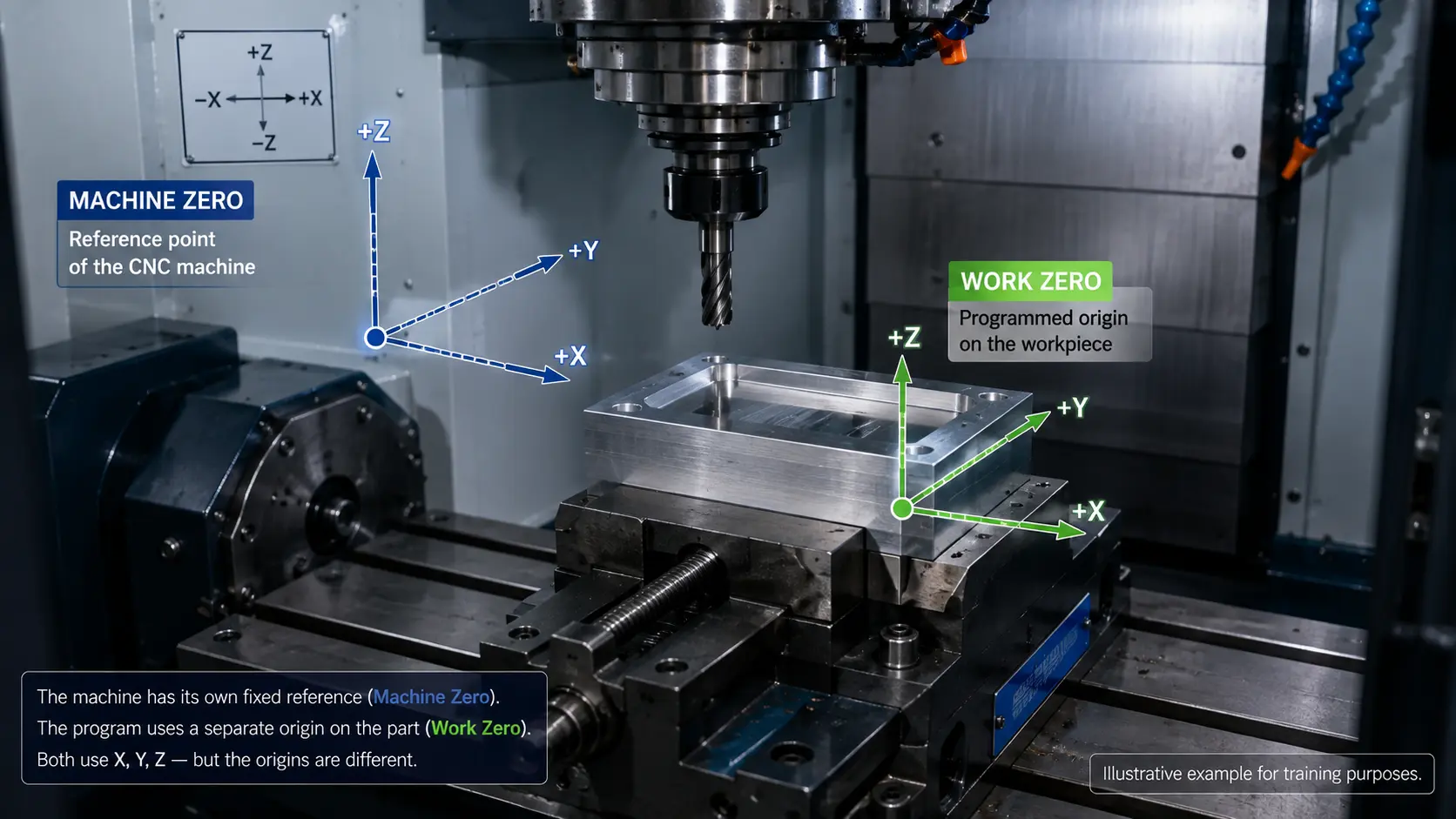
For example, an X coordinate means something different depending on whether the controller is currently using absolute or incremental positioning.
A generator should therefore make critical state explicit rather than depend unnecessarily on whatever mode happened to be active before the generated program started.
From machining parameters to generated code
A useful G-code automation architecture is:
Machining requirement → Parameters → Geometry / process calculation → Program structure → Generated G-code
Consider a drilling-pattern generator.
Inputs might include:
- X/Y origin
- Hole spacing
- Rows and columns
- Depth
- Retract height
- Spindle speed
- Feed
Python can then calculate every coordinate and produce a consistent program.
If the spacing changes, we do not manually rewrite dozens of lines. We change the parameter and regenerate.
This is where software brings genuine value to CNC programming:
“repetition becomes logic.”
Example: generating a bolt-hole circle
A bolt-hole circle demonstrates the educational value particularly well.
Suppose we know:
- Circle centre
- Radius
- Number of holes
The angular separation between holes is determined from the number of positions. Each drilling position can then be calculated from the corresponding angle.
Python performs the repeated coordinate calculations and generates the CNC instructions.
The complete learning path becomes:
geometry → trigonometry → Python → coordinates → G-code → toolpath
That connection is especially valuable in engineering education because students can observe how mathematical relationships become physical machine motion.
Change the radius. Regenerate. The hole locations move.
Change the hole count. Regenerate. The angular spacing changes.
Programming becomes a way of exploring manufacturing relationships rather than a separate computer-science exercise.
Build reusable program functions
A generator quickly becomes difficult to maintain if every command is assembled manually inside one large string.
A better structure separates common CNC operations into reusable functions or components.
Conceptually:
- Program initialization
- Set units
- Set coordinate mode
- Start spindle
- Rapid to safe location
- Feed move
- Drilling routine
- Retract
- Stop spindle
- Program end
The code then describes machining intent at a higher level.
Instead of repeatedly writing text commands throughout the Python script, the program might conceptually say:
- move safely
- drill hole
- retract
- move to next position
That improves maintainability and makes it easier to validate individual program-generation behaviours.
It also connects with broader engineering-software principles: separate responsibilities and make assumptions explicit.
Controller dialects matter
One of the most important limitations of G-code automation is portability.
There is a standard foundation, but real CNC controllers can implement different extensions and behaviours.
Differences may appear in:
- Canned cycles
- Macro syntax
- Tool changes
- Probing
- Coordinate systems
- Comments
- Controller-specific M codes
- Optional parameters
NIST's review of CAM/CNC integration notes that G-code programs often require machine-specific tailoring, while current CNC systems rely heavily on post-processing to convert general manufacturing plans into instructions appropriate for a particular machine/controller.
That creates a critical rule for a Python generator:
“Valid G-code is not necessarily valid G-code for every machine.”
A robust generator should therefore define the controller or dialect it targets.
If several controllers need to be supported, controller-specific formatting should ideally be separated from the machining logic. That is essentially a lightweight post-processing architecture.
Generation is not verification
A Python program can produce text that appears perfectly valid. That still does not mean the machining operation is correct.
Consider a rapid movement.
LinuxCNC documents G0 as rapid positioning at the machine's traverse rate, with the expectation that cutting does not take place during the move.
Imagine that the generated coordinates tell the tool to rapid directly across a workpiece at cutting depth.
The command may be syntactically valid. The toolpath may still be physically unacceptable.
This distinction is fundamental:
“Syntactic correctness is not machining correctness.”
A generated program should therefore be checked at several levels.
Program-state checks
Examples:
- Correct units
- Coordinate mode
- Plane
- Feed mode
- Work offset
- Compensation state
Process checks
Examples:
- Feed value
- Spindle command
- Depth
- Tool selection
Motion checks
Examples:
- Safe rapid movement
- Clearance height
- Approach and retract
- Expected coordinates
- Potential collision
Controller checks
Examples:
- Supported G/M codes
- Canned-cycle format
- Machine-specific syntax
Simulate before executing
Program generation should ideally be separated from machine execution.
A safer development workflow is:
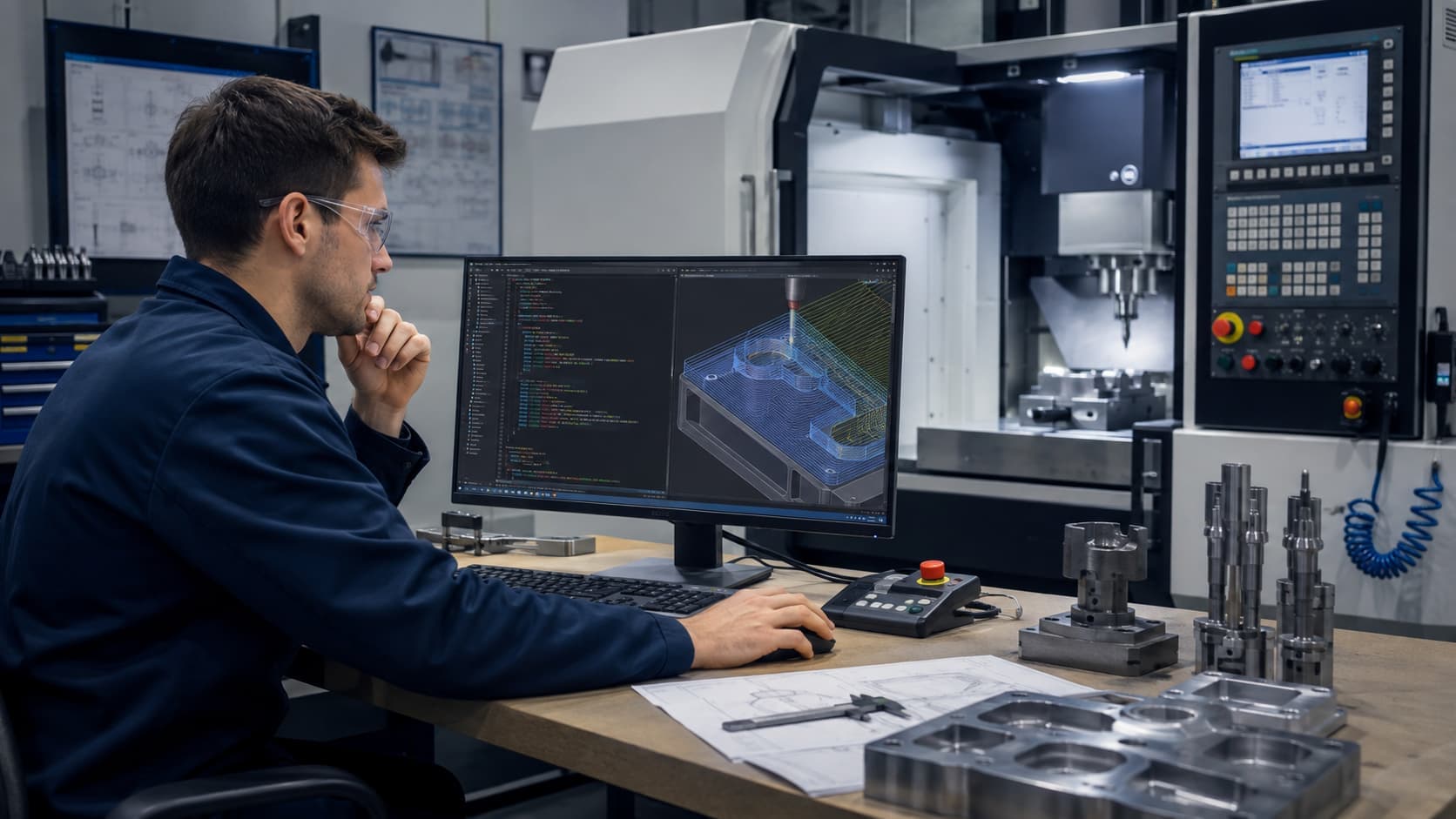
Python generator → G-code file → interpreter / parser check → backplot or simulation → review → controlled machine test
NIST's RS274/NGC interpreter itself demonstrates this conceptual separation: it can read numerical-control code and produce canonical machining functions independently of directly controlling the final physical machine.
This separation is useful during development.
You can investigate whether the program logic is correct before introducing real:
- Cutters
- Workpieces
- Fixtures
- Machine travel
- Collision risk
Simulation does not guarantee a safe machining operation, because the quality of simulation depends on the machine and setup representation. But it provides another verification layer.
Python versus CAM
Python-generated G-code should not be presented as a universal replacement for CAM.
CAM systems are designed to transform manufacturing geometry and process planning into toolpaths, often eventually producing G-code through a machine-specific post-processor. NIST notes that G-code remains a common output of CAM/CNC workflows, while complex manufacturing programs can become extremely large.
Python is particularly attractive for:
- Repeated parametric geometry
- Bolt-hole patterns
- Grids
- Controlled educational examples
- Experimental machining sequences
- Batch program creation
- Specialized preprocessing
- Research automation
CAM is generally stronger for:
- Complex freeform surfaces
- Multi-axis toolpaths
- Collision-aware manufacturing workflows
- Sophisticated machining strategies
- Mature production post-processing
The better question is not:
“Python or CAM?”
It is:
“Which tool represents this machining problem most clearly and reliably?”
Three levels of G-code automation
It is useful to distinguish three levels.
Level 1 — Text automation
Python produces predefined G-code blocks.
Example: automatically writing the same program header or footer.
Useful, but limited.
Level 2 — Parametric generation
Python calculates machining instructions from inputs.
Examples:
- Coordinate patterns
- Repeated drilling
- Depth passes
- Feeds
- Translated features
This is where automation becomes much more useful.
Level 3 — Workflow automation
Python manages more than G-code creation.
A larger system may handle:
- User parameters
- Calculations
- Program generation
- Validation
- Versioned outputs
- Simulation inputs
- File organization
- Machining records
Now Python becomes part of the broader CNC engineering workflow. That is the direction that interests me most.
What should never be automated blindly
Automation can reproduce both good decisions and bad decisions very efficiently. Several CNC parameters require engineering judgment.
Feed rate
A generator can insert whatever number it receives. That does not prove the value is appropriate for the:
- Material
- Cutter
- Machine
- Depth of cut
- Spindle speed
- Machining operation
Clearance height
A fixed Z clearance may be safe for one setup and unsafe for another fixture.
Tool choice
A valid tool number does not guarantee that the correct physical tool is loaded.
Work coordinates
Correct geometry generated relative to the wrong work offset can still result in incorrect machining.
Machine travel
Program coordinates need to remain within the actual usable machine envelope.
Automation should therefore reduce repetitive work. It should not eliminate engineering judgment.
Why this is useful for Technology Education
Python-based G-code generation creates an unusual opportunity to teach several engineering concepts together.
A student can learn:
- Coordinate geometry
- Machining
- Programming
- Automation
- Verification
in one system.
Consider a simple assignment.
The student enters:
- Workpiece dimensions
- Hole count
- Pattern radius
- Drilling depth
- Feed
Python calculates the positions. The G-code appears. The student inspects it. The toolpath is simulated.
Then the student changes one input and observes how the entire machining plan changes.
That feedback loop helps turn abstract parameters into visible engineering consequences.
It also teaches an important lesson about automation:
“The computer produces exactly what the logic instructs—not necessarily what the engineer intended.”
Verification therefore becomes part of the learning objective.
Where my Python CNC Automation project fits
My own Python CNC Automation work is exploring this connection between CNC machining, programming and engineering learning.
I have already generated G-code programmatically and checked the resulting program or toolpath.
That practical step changes the problem from:
“Can Python produce CNC code?”
to:
“How should the generator be structured so that the resulting program is understandable, repeatable and easier to verify?”
The larger objective is not simply automatic text generation. It is to explore a workflow in which machining parameters become observable program behaviour and students or engineers can understand how their input decisions propagate through the CNC program.
Where G-code itself has limitations
Traditional G-code represents machining largely in terms of machine instructions and motion.
Higher-level manufacturing representations have been developed partly because low-level G-code does not preserve all of the richer design and process information that may exist earlier in the CAD/CAM workflow.
STEP-NC, for example, was developed to communicate feature- and process-oriented manufacturing information at a higher semantic level than conventional axis-motion instructions.
That does not make G-code obsolete. It highlights an important limitation.
Python automation can make G-code generation more flexible. It does not fundamentally transform G-code into a complete manufacturing-information model.
Key takeaway
Python can be extremely useful for CNC programming when the machining task contains:
- Repeated geometry
- Mathematical patterns
- Parameterized operations
- Experimental workflows
- Educational exercises
But trustworthy automation requires more than:
parameters → G-code
A stronger chain is:
machining requirement → validated inputs → Python calculation → explicit machine state → controller-appropriate G-code → syntax and logic checking → toolpath verification → engineering review → controlled machine execution
Generating the program is part of the workflow. Understanding what that program will make the machine do is the engineering task.
References and further reading
- NIST — The NIST RS274/NGC Interpreter. Technical reference describing the numerical-control interpreter and canonical machining functions.
- LinuxCNC — G-Code Overview. Current documentation explaining blocks, modal behaviour and modal groups.
- LinuxCNC — G-Codes. Current reference covering commands including G0/G1, canned cycles and modal behaviour.
- ISO 6983-1:2009 — Numerical control of machines. Defines requirements and recommendations for numerical-control program data formats.
- NIST — The State of Integrated CAM/CNC Control Systems. Reviews G-code, CAM/CNC integration and limitations of traditional machine-program formats.
- NIST — STEP-NC research. Relevant background on feature-based manufacturing information and alternatives/extensions to traditional G-code workflows.